
Feature guides
About thumbnails
An explanation of what appears on each thumbnail.
Thumbnail display shows photo previews in the gallery so you can find the work record you need without opening each clip.
Understanding thumbnail display
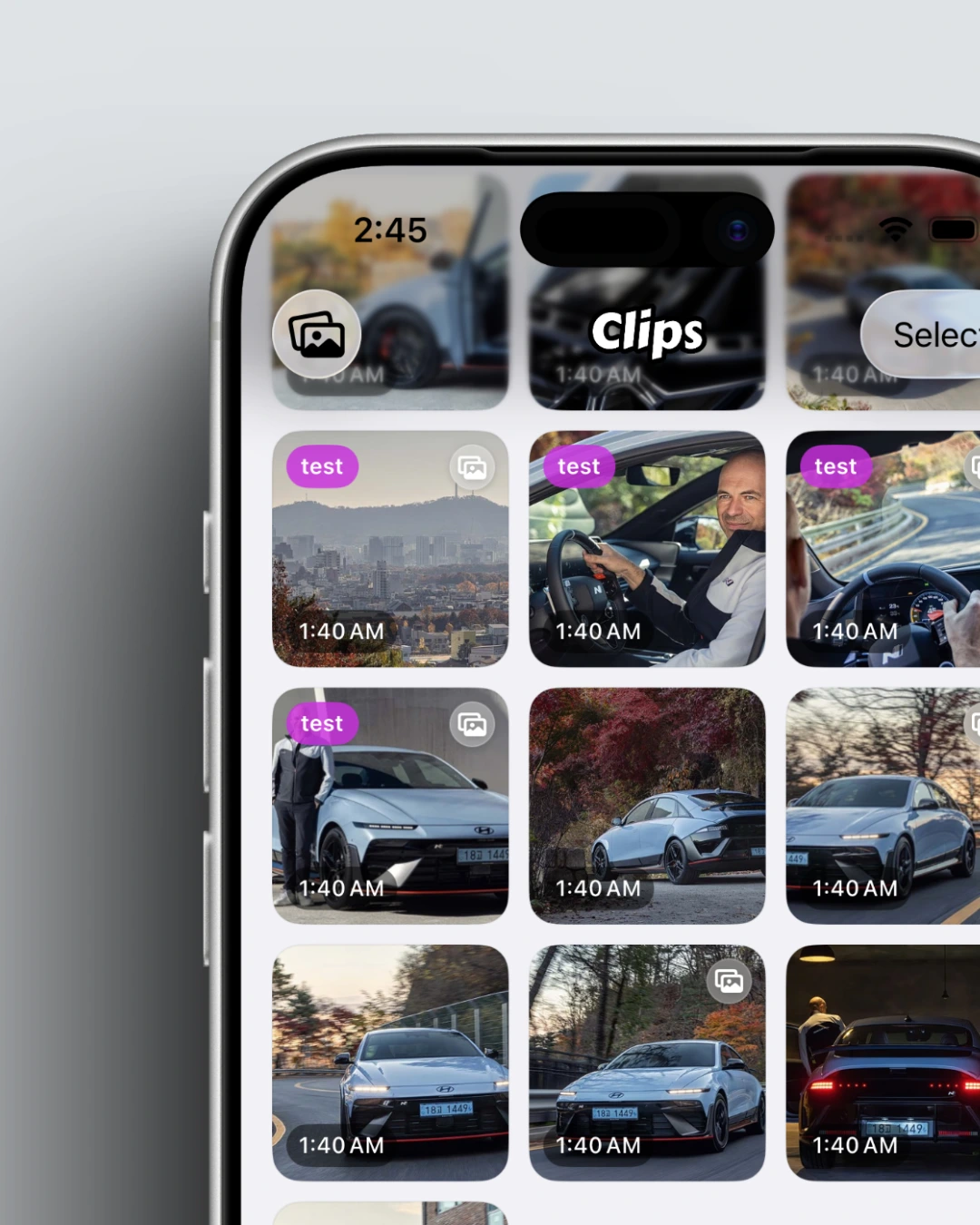
A thumbnail is the small preview of a photo in the gallery grid. When thumbnail display is on, you can tell clips apart at a glance without opening the detail screen.
- The top left shows tag information.
- Photos and videos that are also saved to the Photos app show a badge in the top right. You can hide this in Settings.
- The bottom left shows the clip’s capture time. You can hide this in Settings.
How to configure thumbnails
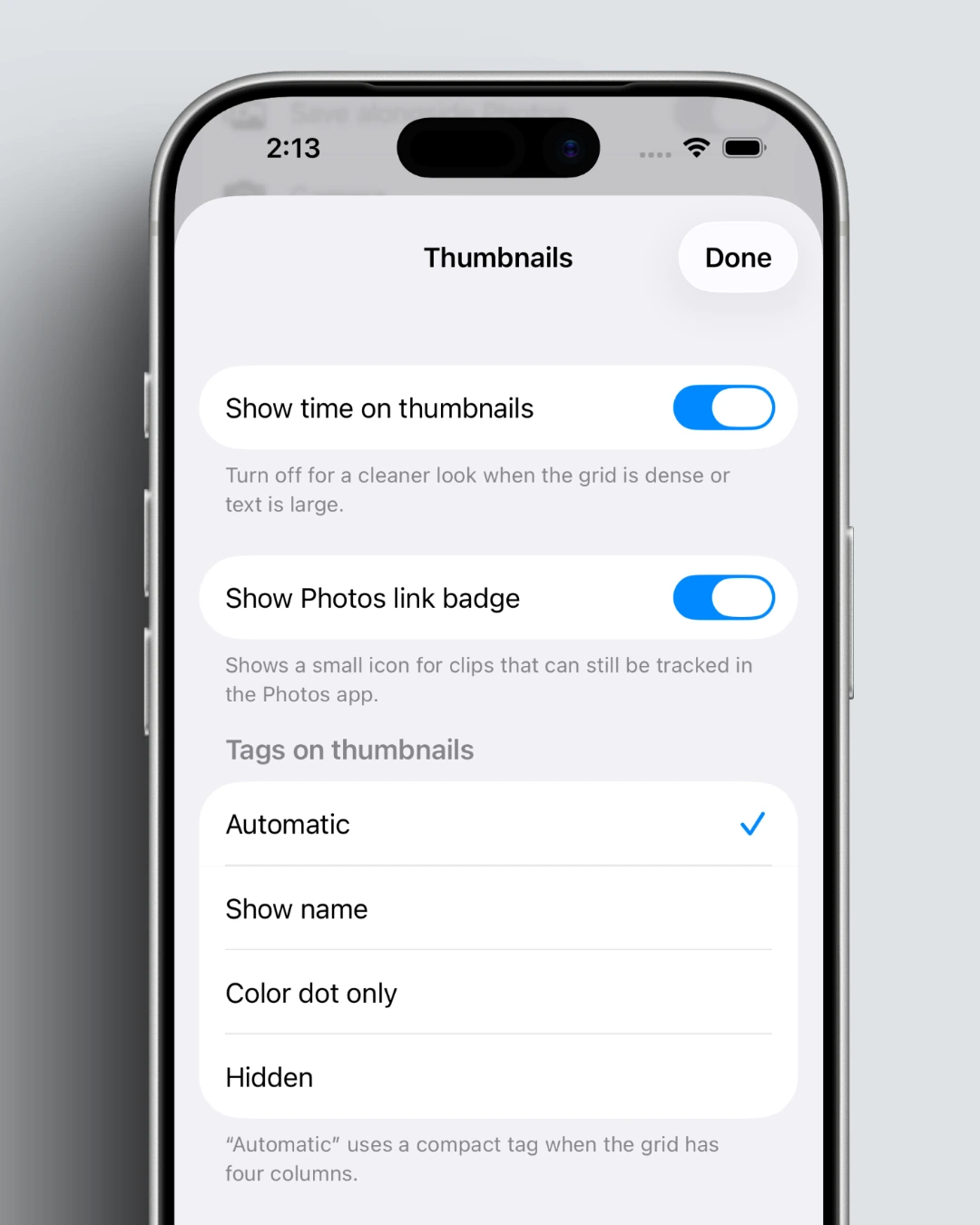
You can turn thumbnail display on or off in Settings. Go to Settings → Thumbnail settings to change options related to thumbnails.
Key takeaways
- Thumbnails help you tell clips apart faster in the gallery.
- You can change the setting in Settings.